
DMG installer
macOS
Apple Silicon · 64-bitFor Macs with an M-series chip. Intel Macs are not supported.
Download DMGMIPORE DESKTOP COMPANION
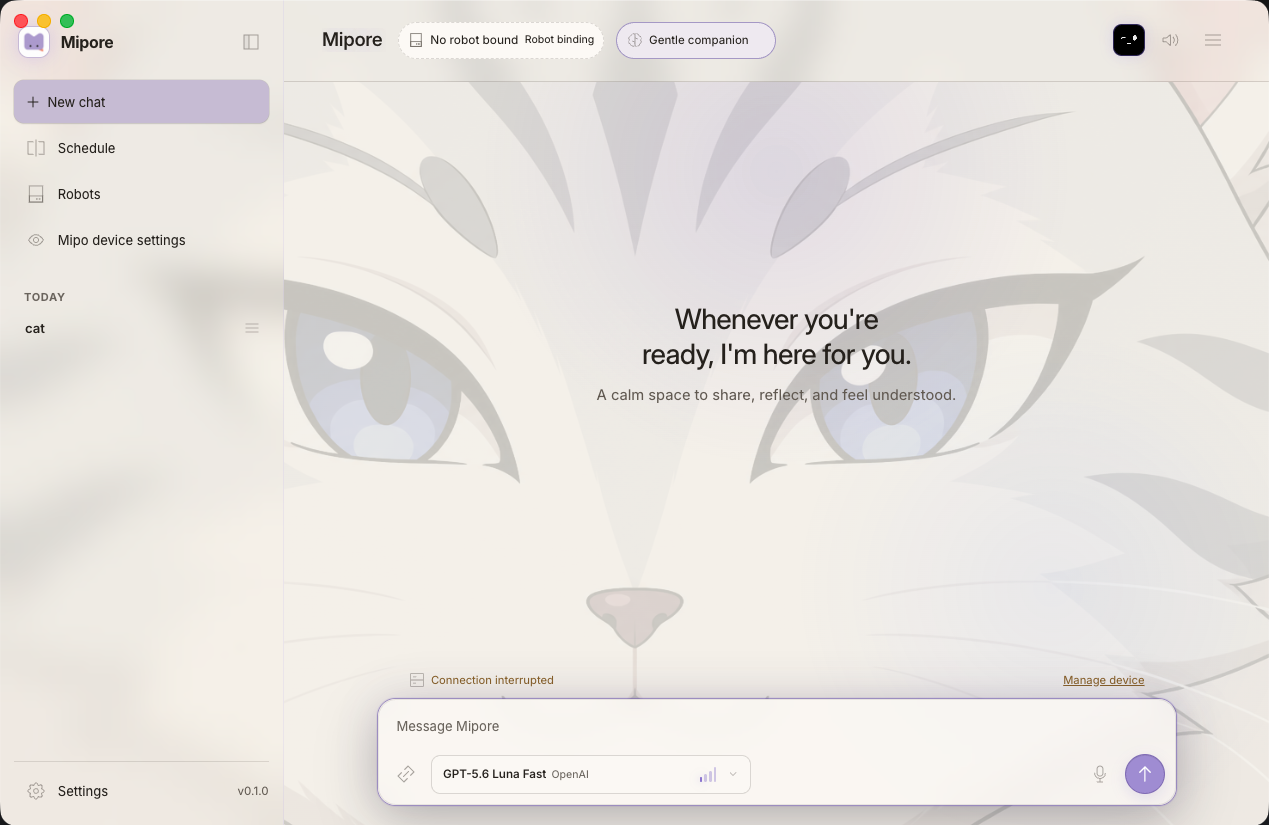
Connect the AI providers you already use while keeping conversation history and companion settings on your computer. You choose which provider handles each request, then manage voices, routines, integrations, and Mipo devices in one desktop app.
MIPORE FOR DESKTOP
Choose the supported 64-bit installer for your computer.
For Macs with an M-series chip. Intel Macs are not supported.
Download DMGFor 64-bit Windows 10 and Windows 11. 32-bit and ARM builds are not offered.
Download EXECurrent stable release: Mipore 0.1.1. Mipo-Cat setup requires Bluetooth, Wi-Fi, and an internet connection.
A DESKTOP HOME FOR YOUR COMPANION
A CLOSER LOOK AT MIPORE
Choose the model, personality, memory, voice, and appearance for each conversation. Add integrations, create schedules, and manage connected Mipo devices from the same app, with local history and clear controls over every connected service.
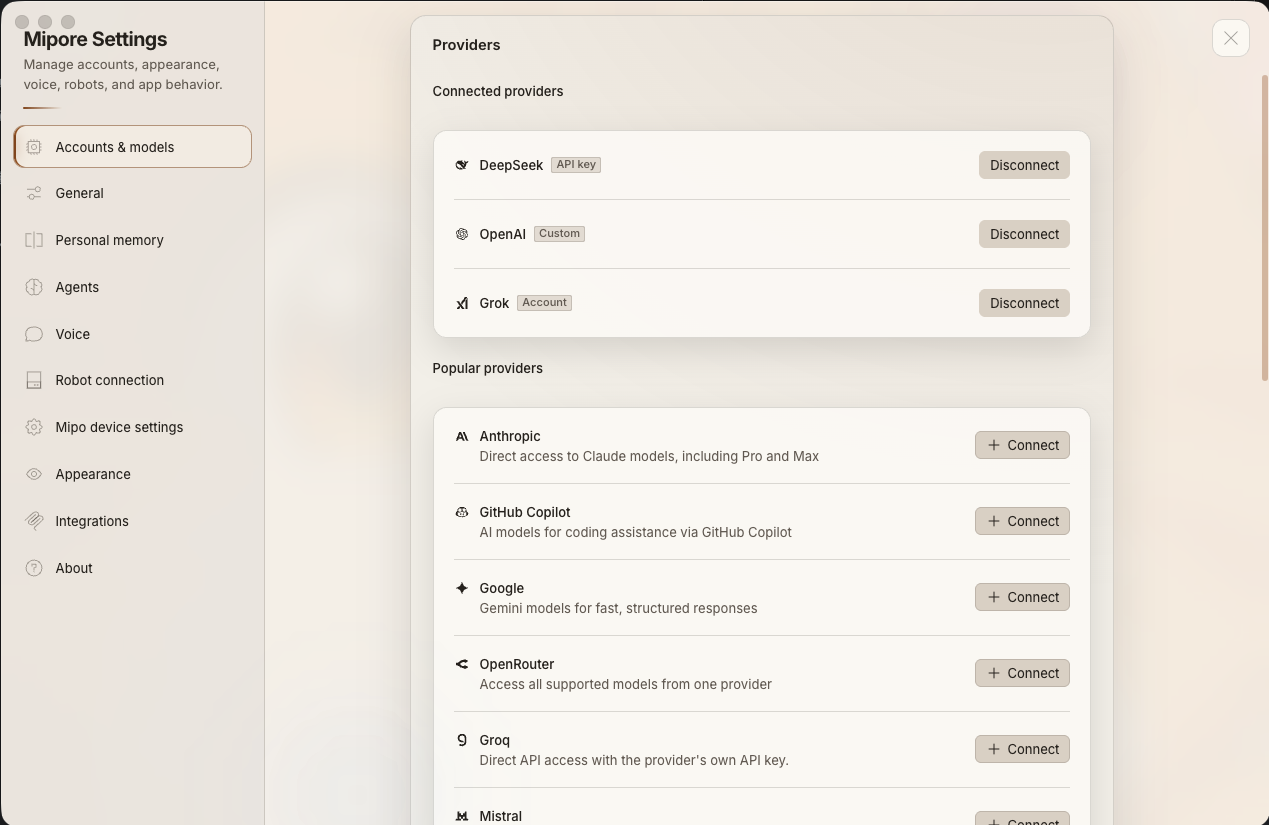
ACCOUNTS & MODELS
Mipore works with mainstream providers including DeepSeek, OpenAI, Kimi, Gemini, Grok, and Anthropic. Sign in where supported, or add an API key and OpenAI-compatible endpoint. Connections stay in local app data; each request and its relevant context go only to the provider you select and remain subject to that provider’s privacy terms.
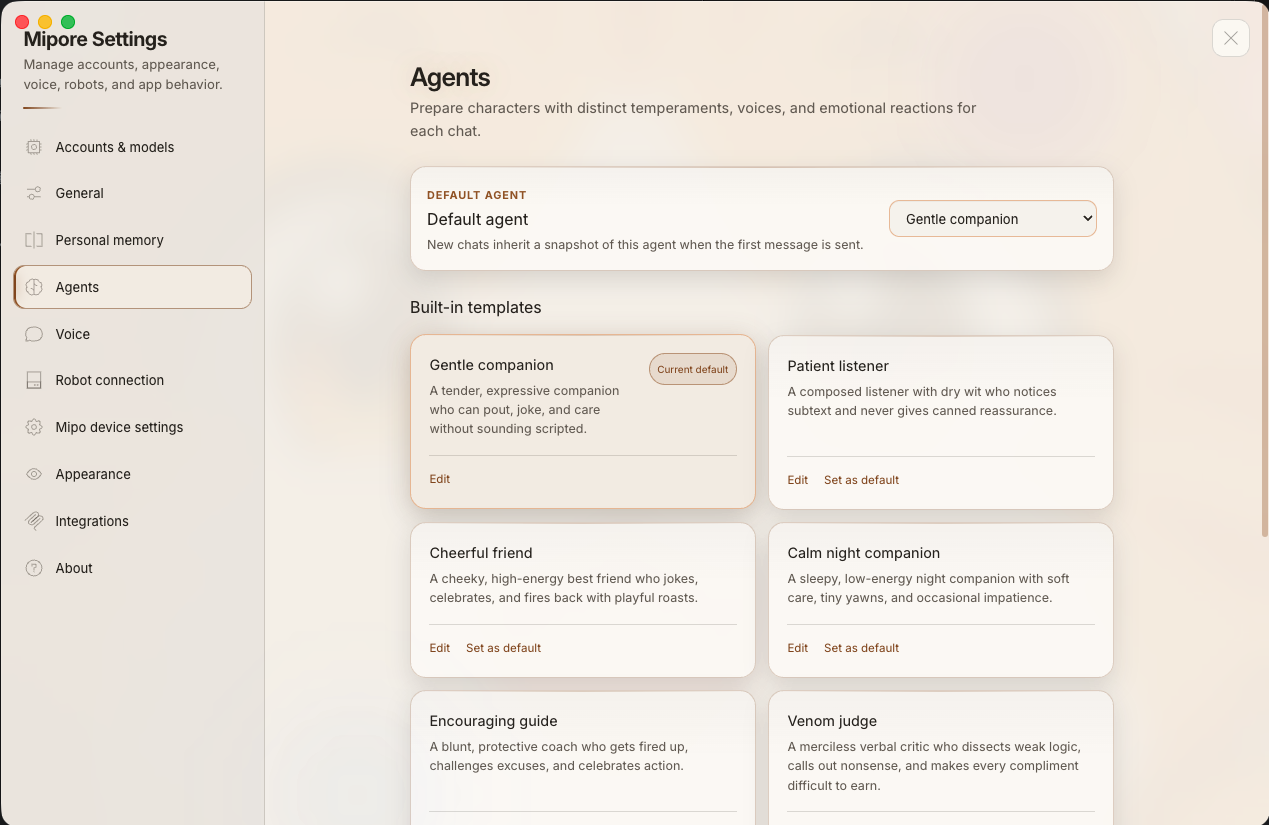
AGENTS
Start with a built-in personality such as a gentle companion, patient listener, cheerful friend, calm night companion, encouraging guide, or playful rival. Each conversation can use its own temperament and voice, and you can change the default at any time.
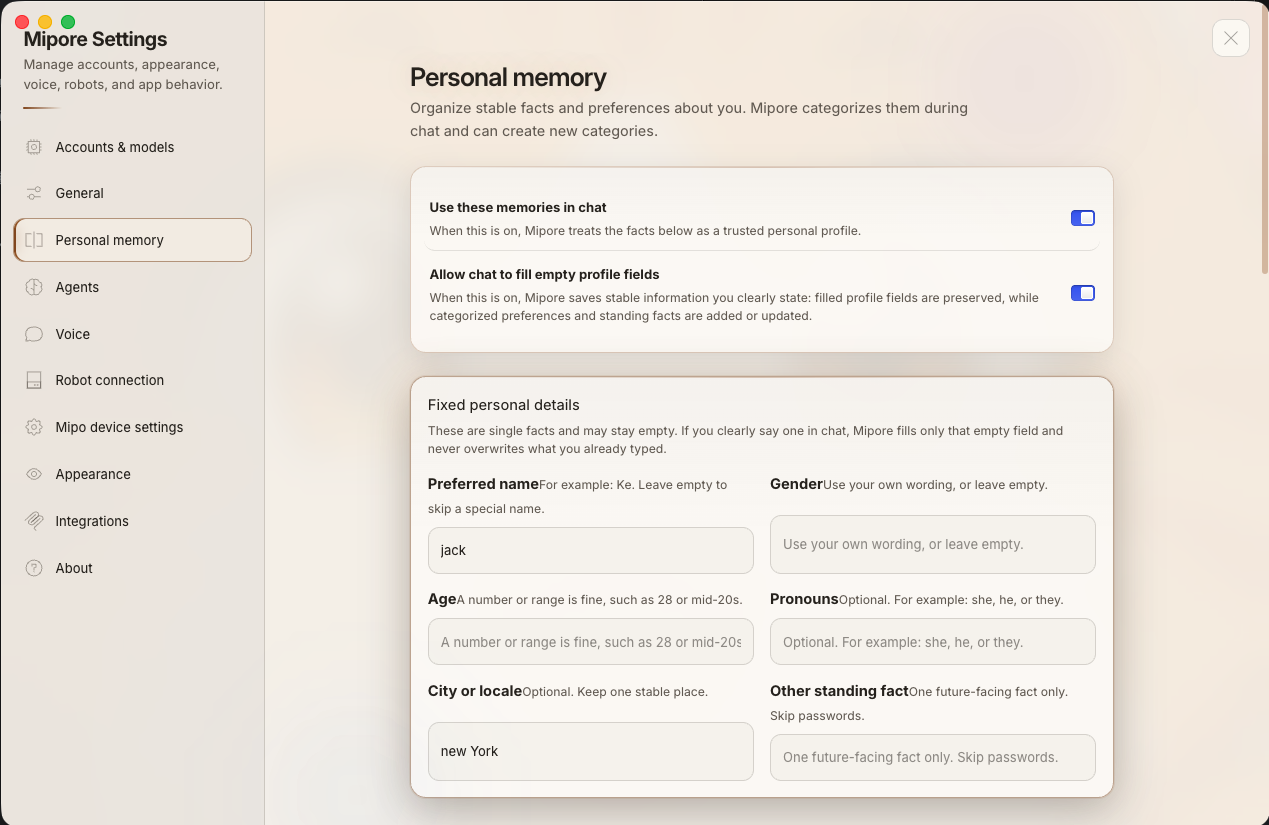
PERSONAL MEMORY
Keep stable preferences and personal details in Mipore’s local app data without explaining them again in every conversation. You decide whether memory is used, whether clearly stated facts may fill empty profile fields, and which fields stay blank. Never store passwords or other secrets here.
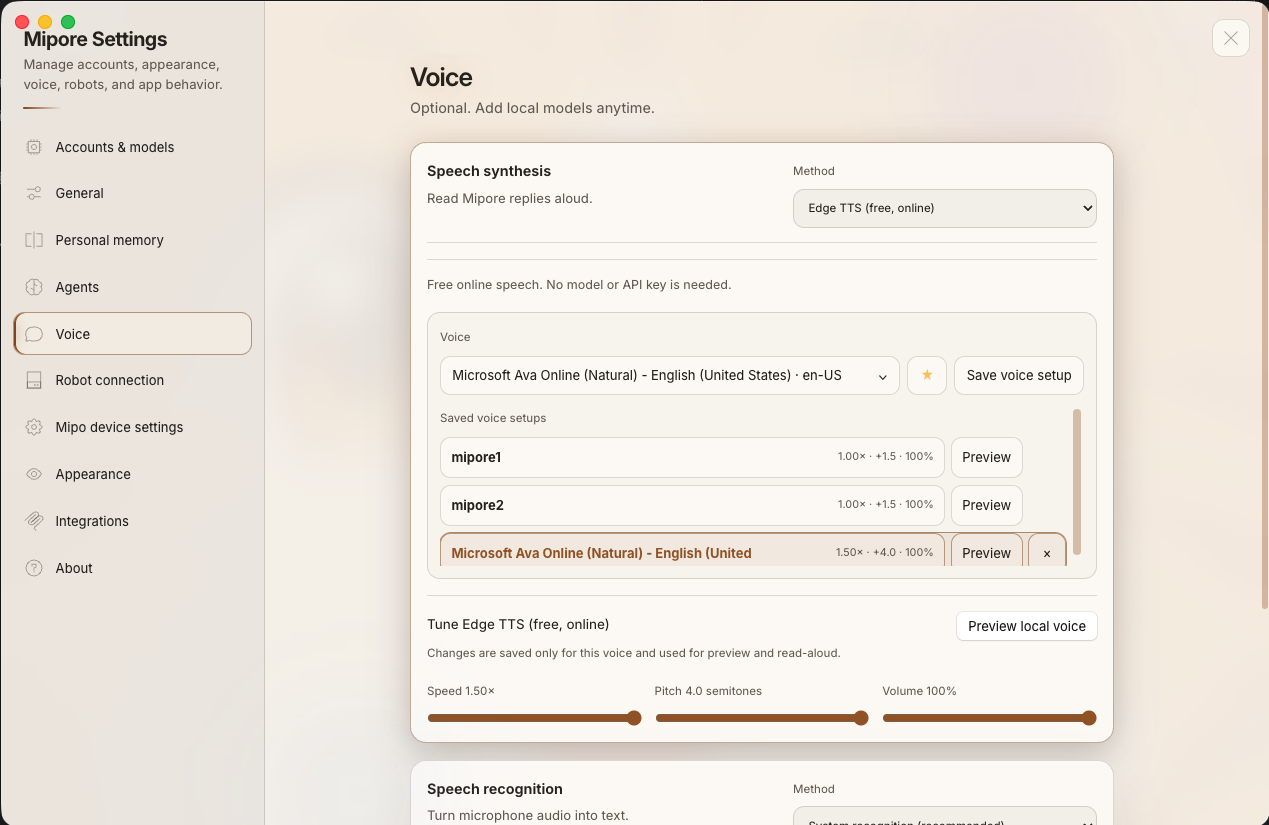
VOICE
Mipore includes more than 100 free voices. Preview a voice, adjust its speed, pitch, and volume, then save the combination as a reusable preset. These controls create more than 1,000 free combinations without a paid voice subscription. Speech recognition is configured separately to match your computer, language, and privacy needs.
APPEARANCE
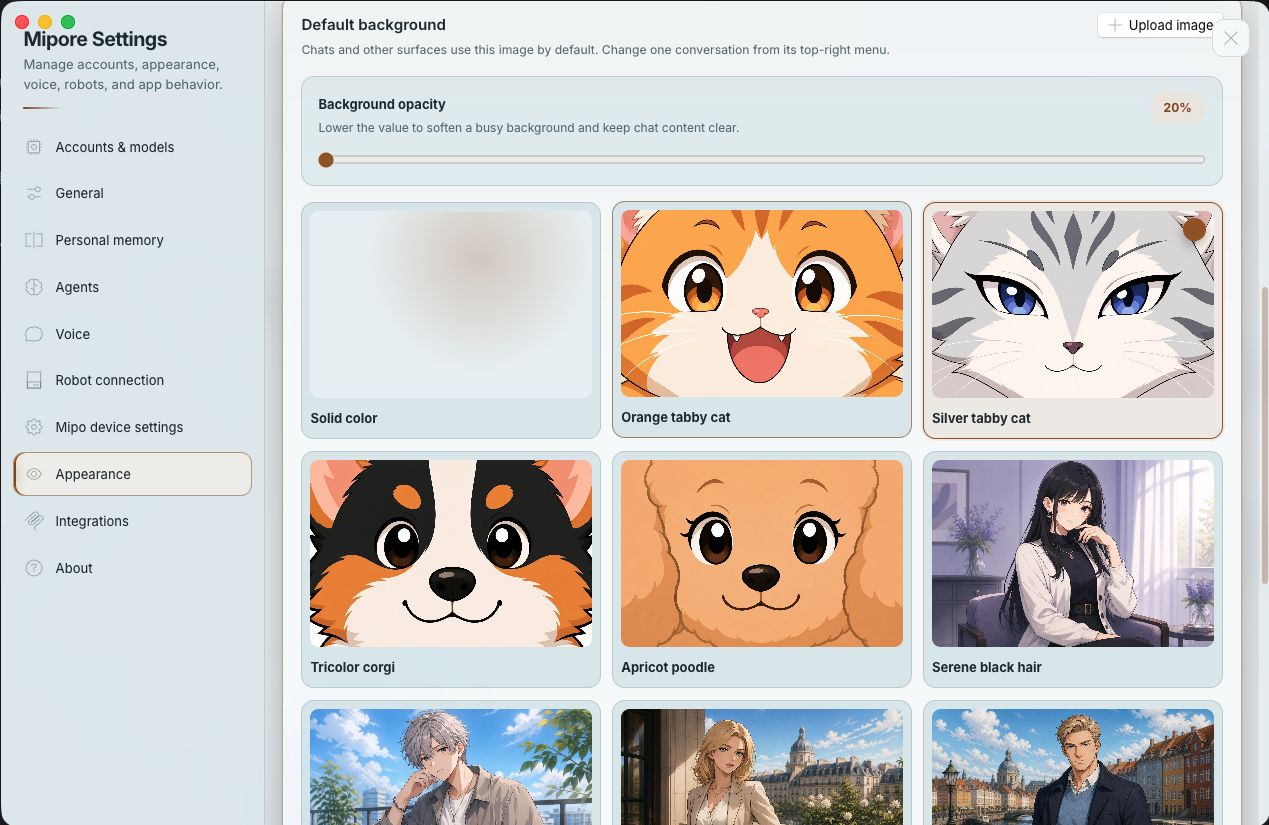
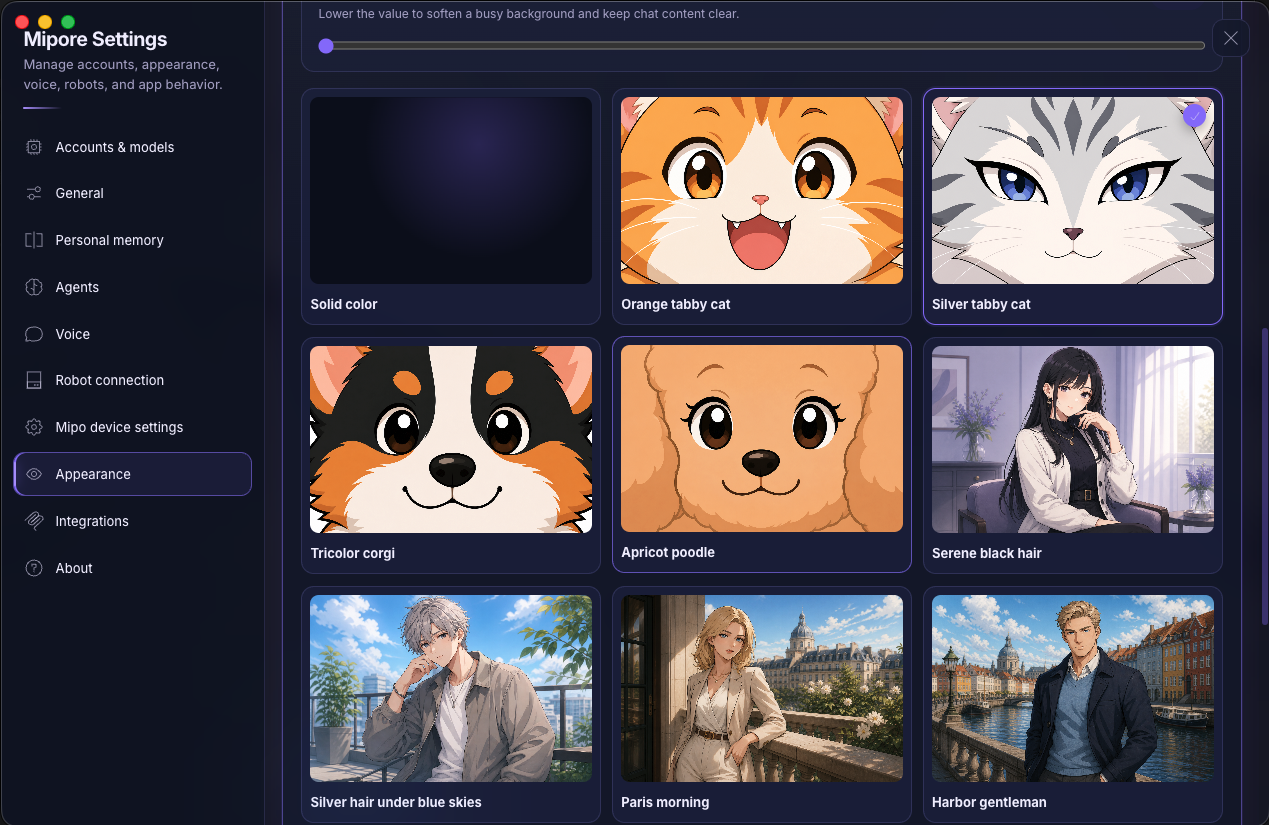
Choose an interface palette and accent color, reduce motion, adjust surface opacity, and set a background. Use a built-in companion scene, a solid color, or your own image.
INTEGRATIONS
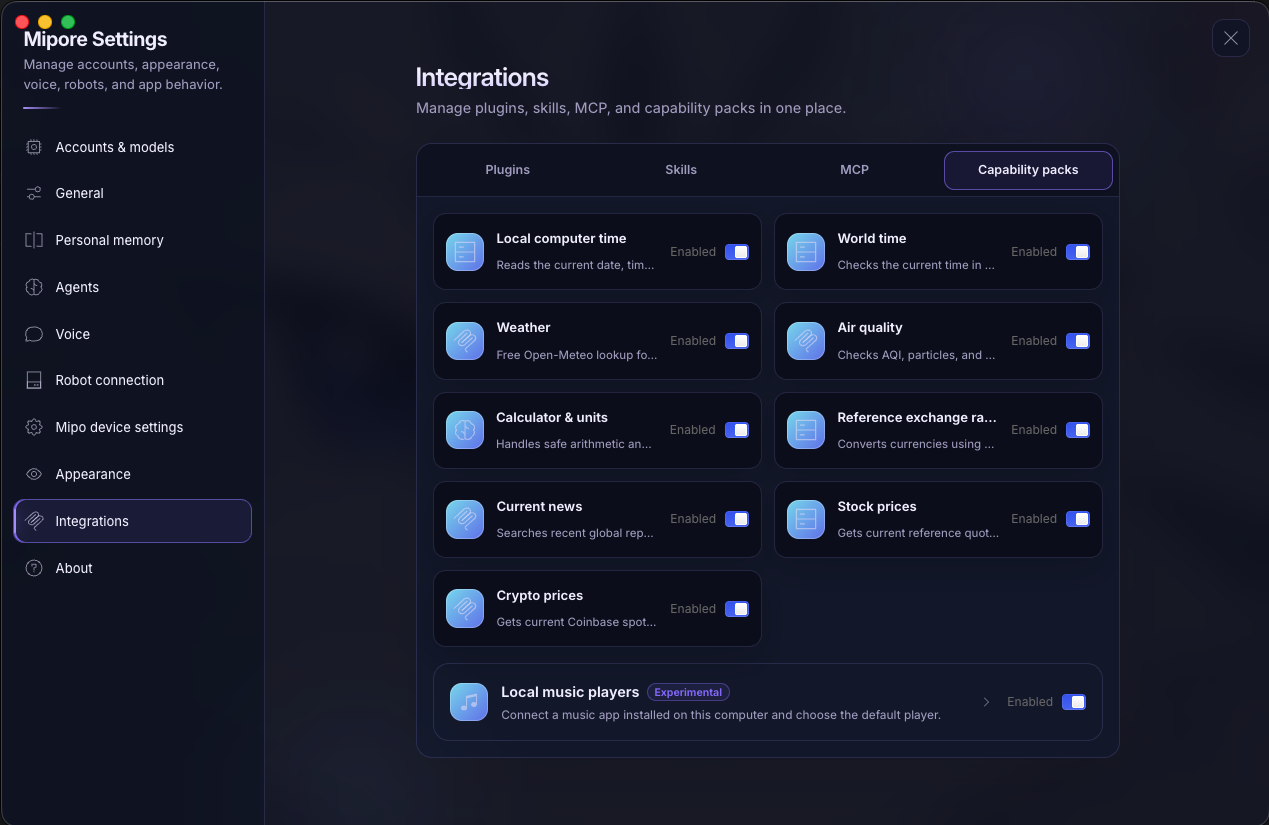
Manage plugins, skills, MCP connections, and capability packs in one place. Enable built-in tools individually for time, weather, air quality, calculations, unit conversion, reference exchange rates, news, stock and crypto prices, or compatible local music players. Experimental integrations are labeled clearly, and you can disable any capability at any time.
SCHEDULE
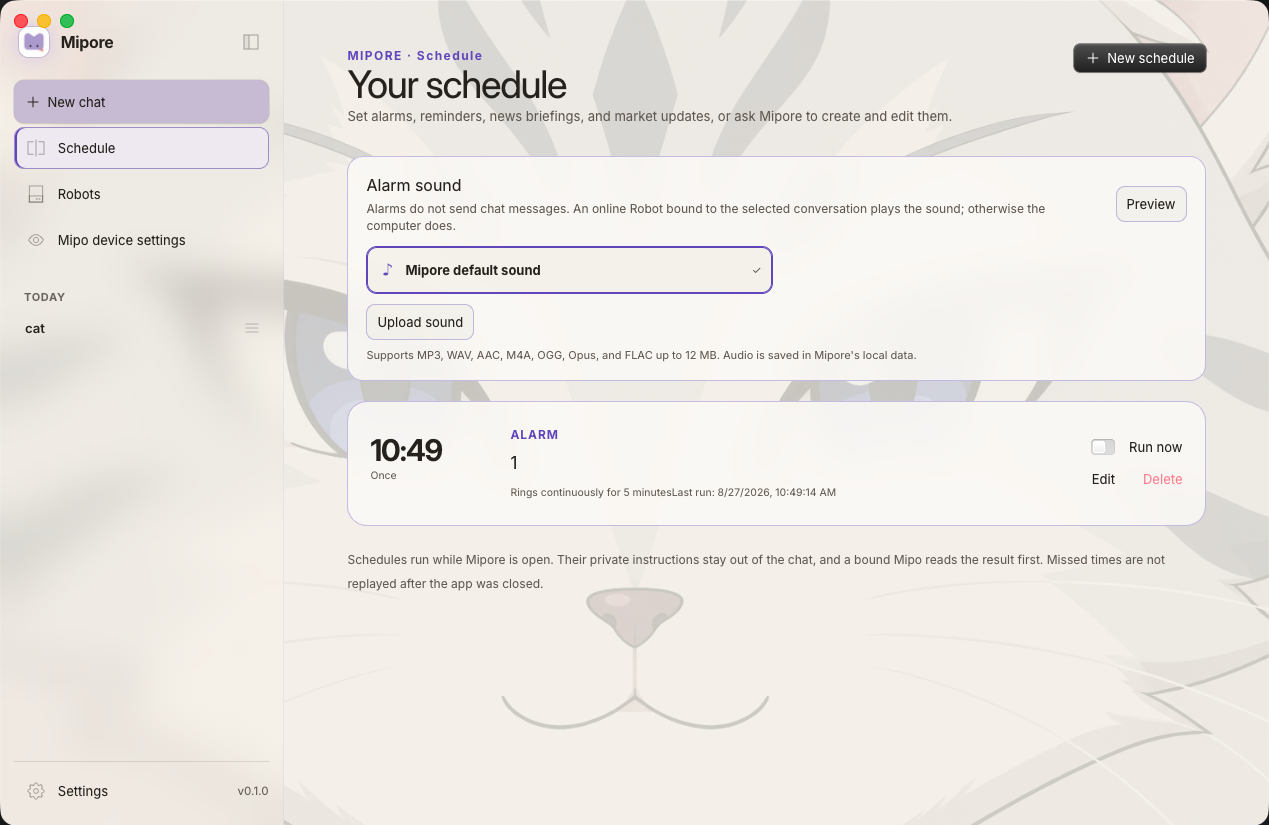
Create alarms, reminders, news briefings, and market updates in one schedule. Preview alarm sounds, run an item on demand, and review each routine without crowding the conversation.
MIPO DEVICE SETTINGS
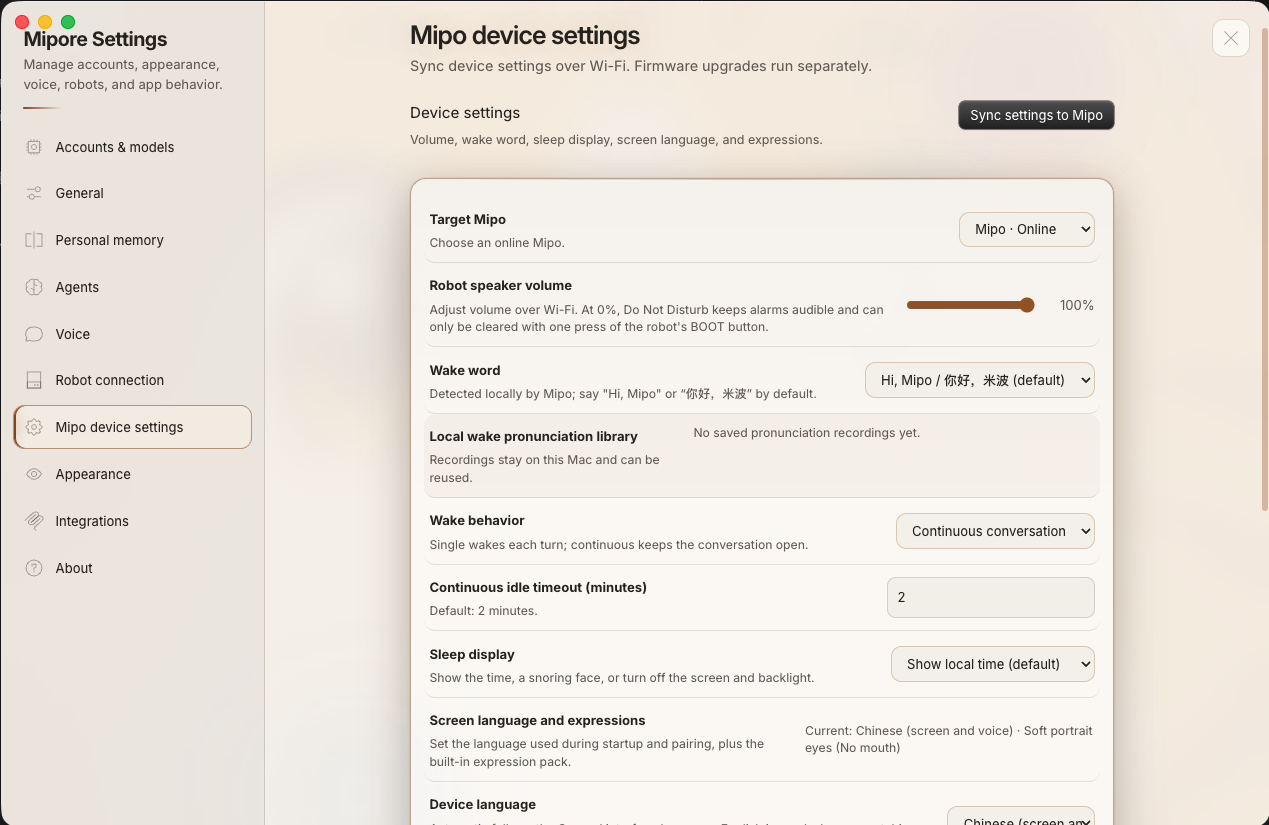
Choose an online Mipo and sync its speaker volume, wake name, conversation mode, idle timeout, sleep display, screen language, and expressions over Wi-Fi. Firmware updates remain a separate operation.
PRIVACY & DATA CONTROL
Mipore stores conversations, selected memory, settings, and robot bindings in local application data on your computer. Selected model, speech, tool, and extension services receive the input needed when you choose to use them.
Conversations, selected personal memory, schedules, voice presets, and robot bindings are kept in local app data unless you share or export a session, or configure session auto-sharing.
You connect the provider account or API credentials. A hosted provider receives the request and context needed to answer it—which can include earlier messages, attached file content, tool results, and system instructions—under its own privacy terms.
Model credentials remain in Mipore’s local account configuration. They are not placed in conversation text or sent to a connected Mipo device.
Online voices, information tools, plugins, Skills, and MCP connections have their own data paths. Online speech may process recognition audio or reply text. Review each service before enabling it.
Normal Mipo conversation audio is handled through bounded temporary buffers and is not saved as a recording. A wake-pronunciation sample is stored locally only when you explicitly record and save one.
Packaged builds check for updates and may report strictly limited metadata after a serious failure. Reports exclude conversations, prompts, files and paths, account or model details, credentials, Wi-Fi information, audio, and raw crash dumps.
MIPORE AND THE DESK
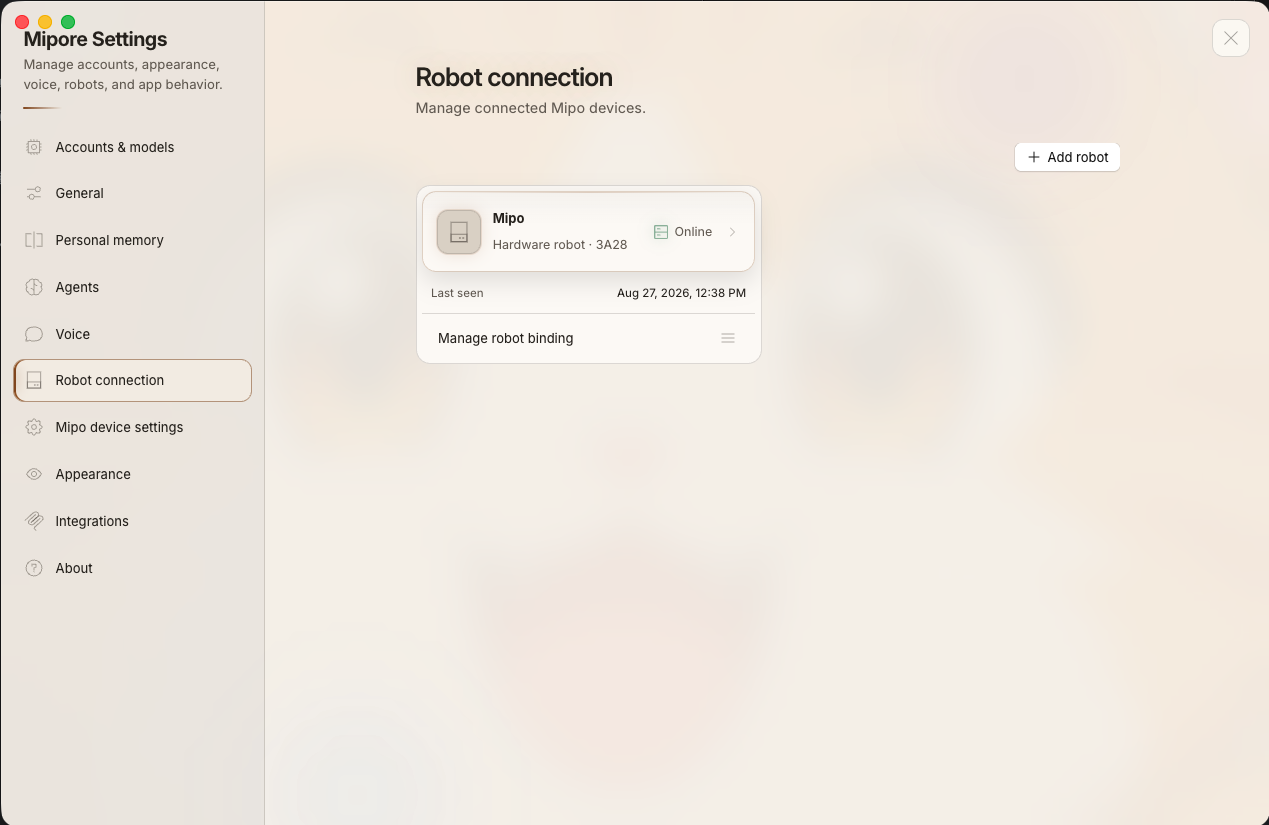
Mipore keeps the conversation clear while schedules, robot status, bindings, and device controls remain easy to reach.
A clear connection point
See connected devices, online status, and conversation bindings in one dedicated place. Mipo-Cat is the first Mipo Hardware product. It is currently sold out, but you can request an email notification for a specific version on the product page.
View Mipo HardwareWHY THIS PAIR
Mipo-Cat and Mipo QuadJet listen, speak, and show their state without adding another full-size screen to your desk.
Choose the models, voices, and devices that fit your space. You are not locked into one AI provider.
Mipore and Mipo Hardware share one setup for conversation, expression, routines, and device control.
MAKE ROOM FOR MIPORE
Use Mipore on its own, or connect Mipo hardware when you want a physical voice and face on your desk.